
BerryMed BM1000, for a whole group
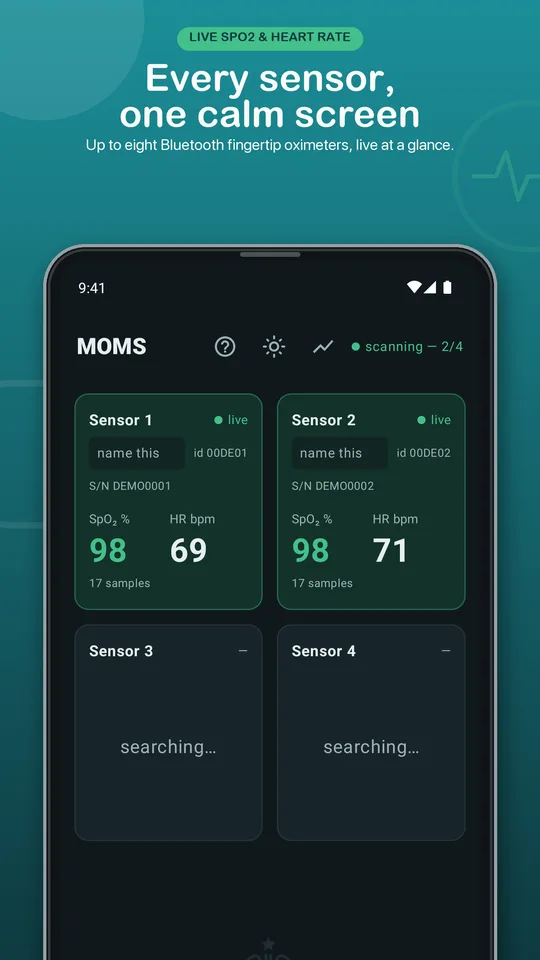
BerryMed's BM1000 family is an inexpensive, widely sold Bluetooth fingertip oximeter. MOMS reads up to eight of them at once, each on its own tile.
What MOMS adds to the BerryMed BM1000
Because BM1000-family sensors are cheap, they're the easiest way to kit out a whole group. MOMS speaks BerryMed's BCI protocol, which also covers Oxiline Pulse XS / X Pro and many other BerryMed-based brands sold under different names, so one app covers a mixed box of sensors.
- Live SpO₂ and heart rate for up to eight sensors on one screen
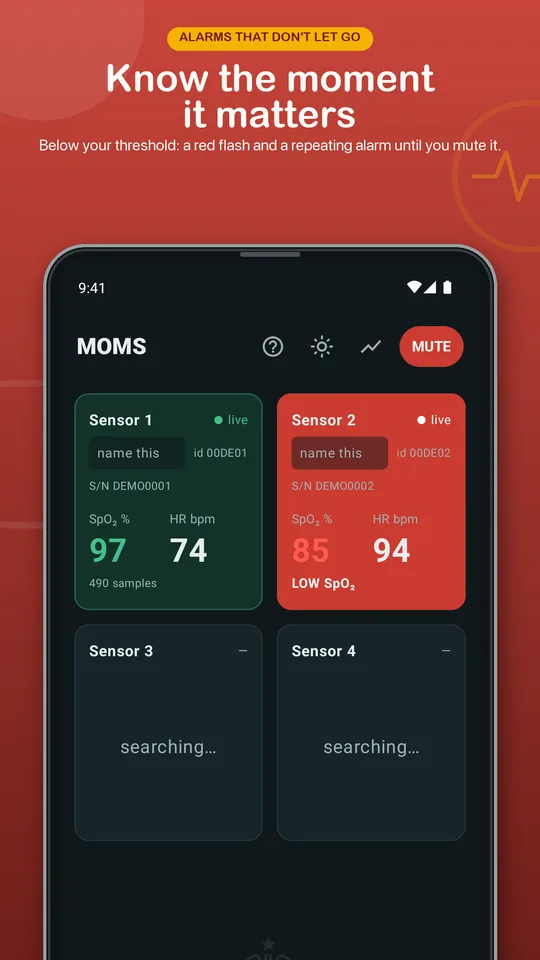
- A red flash and repeating alarm when a reading drops below your threshold, with a time-limited mute
- Its own alarm for a sensor that goes silent for five seconds, and a yellow tile when a finger slips out
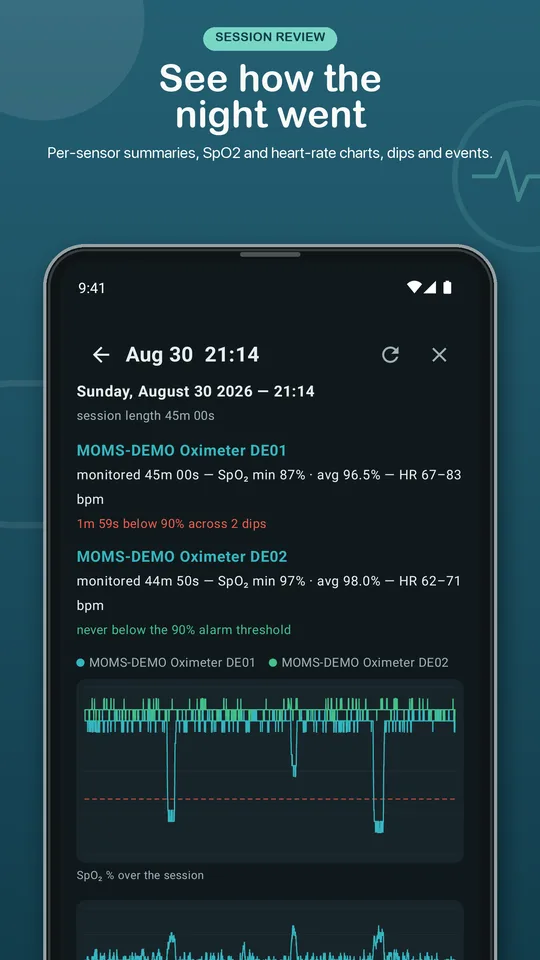
- Session recording to plain CSV files on your device, with a review screen of charts, dips and events
Setting it up
- Switch the sensors on and clip them onto fingers.
- If any sensor is connected to another app, close that app first. Most sensors take one Bluetooth connection at a time.
- Open MOMS. Each sensor appears as a tile on its own — no pairing in Bluetooth settings.
- Name each tile after its wearer, and set your alarm threshold (80–95%).
Want to see it first? Demo mode simulates eight sensors, so you can try every screen before connecting a real one.
What it looks like
Store-listing previews from the app.
Mix it with other sensors
The BerryMed BM1000 doesn't have to be the only sensor on the screen. MOMS also reads:
- Wellue O2Ring (Viatom / Wellue A5 protocol)
- Checkme O2 Max (O2M (Wellue / Lepu) protocol)
More on watching a group: several pulse oximeters on one screen.
BerryMed BM1000 is a product of its manufacturer. Elevated Self is not affiliated with or endorsed by them; the name is used only to say which sensors MOMS works with.
Get MOMS
On Google Play now, coming to the App Store, at US$19.99, paid once. No subscription, no account, no cloud: readings and session files stay on your device. A macOS version is on the way.